Protect Your Business Data with These 10 Must-Do Strategies
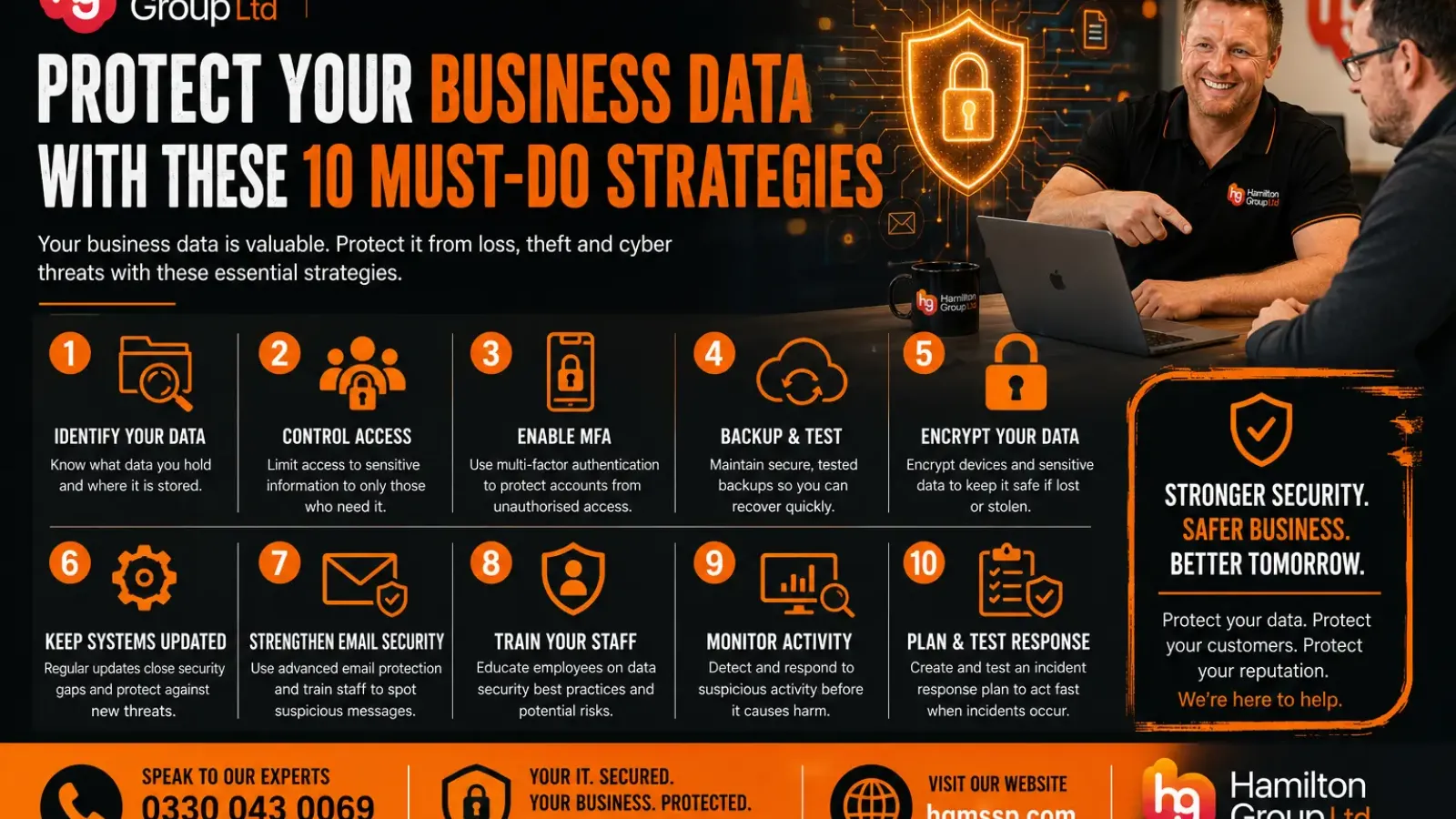
Business data is one of your organisation’s most valuable assets.
Customer records, financial information, contracts, emails, employee details, intellectual property and operational documents all play a critical role in keeping the company running. If that information is lost, stolen, corrupted or exposed, the impact can be significant.
A serious data incident can lead to:
- Operational disruption
- Financial loss
- Regulatory concerns
- Customer complaints
- Reputational damage
- Contractual disputes
- Missed deadlines
- Prolonged recovery work
Protecting business data therefore requires more than simply installing antivirus software or saving files to the cloud.
Businesses need a structured approach that combines technology, processes, employee awareness and ongoing monitoring.
Here are ten essential strategies every organisation should consider.
1. Identify What Data Your Business Holds
You cannot protect information effectively unless you know what you have and where it is stored.
Begin by identifying the main types of data used by your organisation, such as:
- Customer information
- Employee records
- Financial data
- Supplier details
- Contracts
- Project files
- Intellectual property
- Emails
- Backups
- Security logs
- Business plans
You should also understand where that information is located.
It may be stored across:
- Microsoft 365
- SharePoint
- OneDrive
- Teams
- Local servers
- Employee laptops
- Mobile devices
- Cloud applications
- External storage
- Third-party platforms
Once you understand your data estate, you can decide which information requires the strongest protection and which systems are most critical to the business.
A data inventory also helps expose duplicated, outdated or forgotten information that may be creating unnecessary risk.
2. Control Who Can Access Sensitive Information
Not every employee needs access to every file.
Access should be based on the user’s role and responsibilities. This is known as the principle of least privilege.
For example:
- Finance staff may need access to accounting records
- HR staff may need access to employee information
- Sales staff may need access to customer records
- Senior management may need access to strategic documents
However, these areas should not automatically be visible to the entire organisation.
Businesses should regularly review:
- SharePoint permissions
- Teams memberships
- Shared folders
- Administrator roles
- External users
- Guest accounts
- Cloud application permissions
- Former employee access
Access should be removed promptly when someone changes role or leaves the business.
Poorly managed permissions can expose sensitive information without an attacker needing to bypass any security controls.
3. Enable Multi-Factor Authentication
Passwords alone are no longer enough to protect business accounts.
Multi-factor authentication, commonly known as MFA, requires users to provide an additional form of verification when signing in.
This may include:
- An authentication app
- A security key
- A biometric check
- A one-time verification code
MFA can help protect accounts even when a password has been stolen through phishing, malware or a third-party data breach.
It should be enabled for:
- Microsoft 365
- Email accounts
- Remote access
- Cloud applications
- Administrator accounts
- Financial systems
- Customer relationship management platforms
Employees should also be trained never to approve an unexpected MFA request.
Repeated authentication prompts may be part of an attack intended to pressure the user into approving access.
4. Maintain Secure and Tested Backups
Backups are essential for recovering from:
- Ransomware
- Accidental deletion
- Hardware failure
- Data corruption
- Malicious insiders
- Cloud application errors
However, a backup is only useful if it contains the right information and can be restored successfully.
A strong backup strategy should include:
- Multiple copies of important data
- Off-site or cloud-based storage
- Encryption
- Restricted access
- Separate credentials
- Immutable or offline copies
- Automated monitoring
- Regular recovery testing
Businesses should understand how quickly important systems could be restored and how much recent data might be lost.
These recovery requirements should be documented rather than assumed.
It is also important not to assume that information stored in Microsoft 365 or another cloud platform is automatically backed up in the way your business requires.
5. Encrypt Data and Business Devices
Encryption converts information into a protected format that cannot easily be read without the correct key or authorisation.
Businesses should consider encryption for:
- Laptops
- Desktop computers
- Mobile phones
- Tablets
- Portable drives
- Backups
- Sensitive emails
- Cloud storage
- Databases
Full-disk encryption is particularly important for laptops and other mobile devices that could be lost or stolen.
Without encryption, someone who obtains the device may be able to access locally stored information, even if they do not know the user’s password.
Encryption should also be supported by proper key management, secure recovery processes and clear ownership.
6. Keep Systems and Software Updated
Cybercriminals frequently exploit known weaknesses in software, operating systems and network equipment.
Security updates are released to correct these vulnerabilities, but they only provide protection after they have been installed.
Businesses should maintain a structured patch-management process covering:
- Windows devices
- Servers
- Firewalls
- Routers
- Wireless access points
- Business applications
- Web browsers
- Mobile devices
- Firmware
- Cloud-connected equipment
High-risk security updates should be prioritised.
Unsupported software should also be replaced because it may no longer receive security fixes.
Relying on employees to install updates manually can lead to inconsistent protection. Centralised device management and monitoring can make the process more reliable.
7. Strengthen Email Security
Email remains one of the most common routes used to attack businesses.
A successful phishing message may lead to:
- Stolen passwords
- Fraudulent payments
- Malware infections
- Data theft
- Account takeover
- Ransomware
Businesses should use layered email protection, including:
- Spam filtering
- Phishing detection
- Malicious attachment scanning
- Link protection
- Impersonation controls
- Domain authentication
- Mailbox auditing
- Suspicious forwarding-rule alerts
Technical protection should be supported by employee training.
Staff should know how to identify suspicious messages and verify unusual requests, particularly those involving:
- Payments
- Bank detail changes
- Password resets
- Confidential documents
- Urgent requests from senior employees
A quick verification call can prevent a costly incident.
8. Train Employees to Handle Data Securely
Employees work with business information every day, which makes their behaviour central to data protection.
Training should explain:
- How to recognise phishing
- How to share files securely
- Why personal email should not be used
- How to report lost devices
- How to handle confidential information
- When to use encryption
- Why passwords must not be shared
- How to report accidental disclosure
- The risks of public Wi-Fi
- How social engineering works
Training should be practical and relevant to the employee’s role.
For example, finance teams may require additional training on payment fraud, while HR teams need clear guidance on handling employee records.
The aim should not be to blame employees when mistakes occur.
A strong security culture encourages staff to report problems quickly so the business can respond before the situation becomes worse.
9. Monitor Systems for Suspicious Activity
Preventative controls are important, but businesses must also be able to identify when something unusual is happening.
Security monitoring may detect:
- Suspicious sign-ins
- Repeated failed login attempts
- Unexpected administrator activity
- Malware behaviour
- Unusual file access
- Large data transfers
- New forwarding rules
- Disabled security software
- Connections to malicious services
The business should understand:
- Which systems are monitored
- Who receives alerts
- Who investigates them
- How quickly serious events are escalated
- What happens outside normal office hours
Security tools that generate alerts without anyone reviewing them provide limited protection.
Monitoring should form part of a clear incident-response process.
10. Create and Test an Incident-Response Plan
Even businesses with strong security controls can experience a data incident.
An incident-response plan helps the organisation act quickly and consistently when something goes wrong.
The plan should explain:
- Who leads the response
- How employees report an incident
- Who contacts the IT provider
- How affected systems are isolated
- How evidence is preserved
- When legal advice is required
- Whether the insurer should be notified
- How customers will be informed
- Who deals with regulators
- How systems will be recovered
The plan should cover scenarios such as:
- Ransomware
- Lost devices
- Compromised email accounts
- Accidental data sharing
- Malicious insiders
- Supplier breaches
- Cloud outages
It should also be tested.
A tabletop exercise allows the leadership team to work through a realistic scenario without disrupting live systems. This often reveals unclear responsibilities and missing contact details before a real emergency occurs.
Why Data Classification Matters
Not all information requires the same level of protection.
A data-classification system can help employees understand how information should be handled.
Categories might include:
- Public
- Internal
- Confidential
- Highly confidential
Each category can have its own rules covering:
- Access
- Storage
- Sharing
- Encryption
- Retention
- Disposal
Microsoft 365 sensitivity labels can help organisations apply visual markings and security controls to documents and emails.
Classification should be simple enough for employees to use consistently.
Protecting Data in Microsoft 365
Microsoft 365 contains extensive security and compliance capabilities, but they must be configured correctly.
Businesses should consider controls such as:
- Multi-factor authentication
- Conditional Access
- Microsoft Defender
- Data loss prevention
- Sensitivity labels
- Retention policies
- Audit logging
- Safe Links
- Safe Attachments
- External sharing restrictions
- Administrator role management
SharePoint, OneDrive and Teams permissions should also be reviewed regularly.
Cloud collaboration makes it easier to share information, but careless sharing can expose files to the wrong people.
Do You Need a Data-Loss-Prevention Solution?
Data loss prevention, or DLP, can help detect and control the movement of sensitive information.
A DLP policy may identify data such as:
- Bank details
- Payment-card information
- National Insurance numbers
- Customer records
- Confidential documents
- Health-related information
Depending on the configuration, the system may:
- Warn the user
- Block the action
- Require justification
- Notify an administrator
- Record the event
DLP can be valuable, but policies should be carefully designed and tested.
Overly restrictive controls can interrupt legitimate work, while weak policies may fail to protect important information.
Securely Dispose of Data and Equipment
Data should not be kept indefinitely without a clear reason.
Old files, backups and user accounts increase the amount of information that could be exposed during an incident.
Businesses should establish retention and disposal rules covering:
- Emails
- Documents
- Customer records
- Employee information
- Backups
- Archived systems
- Paper records
When equipment reaches the end of its life, storage devices should be securely erased or physically destroyed through an appropriate process.
Deleting files or resetting a device may not be sufficient to remove recoverable information.
Review Third-Party Suppliers
Your data may be handled by external providers such as:
- IT companies
- Software vendors
- Payroll providers
- Accountants
- Marketing agencies
- Cloud platforms
- Backup providers
- Contractors
Businesses should understand:
- What data the supplier can access
- Where it is processed
- Which security controls are used
- How incidents are reported
- Whether subcontractors are involved
- How data is returned or deleted
- What happens when the contract ends
A supplier with weak security can create risk even when your own environment is well protected.
Common Business Data-Protection Mistakes
Businesses should avoid the following errors.
Assuming Cloud Storage Is Automatically Secure
Cloud platforms provide powerful security features, but poor permissions and weak account security can still expose information.
Giving Too Many People Administrator Rights
Administrator access should be limited, monitored and separated from normal user accounts.
Keeping Former Employee Accounts Active
Leaver access should be removed promptly through a documented offboarding process.
Failing to Test Backups
A successful backup notification does not prove that the information can be restored.
Sharing Files Through Personal Accounts
Business information should remain within approved company systems.
Ignoring Mobile Devices
Phones and tablets may contain email, files and authentication apps, making them important security targets.
Treating Cybersecurity as an Annual Task
Data protection requires continuous maintenance, monitoring and improvement.
How Hamilton Group Can Help
Hamilton Group helps UK businesses protect their information through practical IT and cybersecurity services.
Our services can include:
- Cybersecurity assessments
- Managed IT support
- Managed cyber security
- Microsoft 365 security
- Multi-factor authentication
- Conditional Access
- Endpoint Detection and Response
- Email security
- Data loss prevention
- Sensitivity labels
- Secure backups
- Disaster recovery
- Vulnerability management
- Penetration testing
- Security awareness training
- Incident-response planning
- Cyber Essentials support
- IT strategy and consultancy
We can review your existing environment, identify weaknesses and recommend proportionate improvements based on your business needs.
Make Data Protection an Everyday Priority
Business data protection is not a one-off project.
New employees join, applications change, permissions expand and cyber threats continue to evolve.
The most effective strategy combines:
- Strong access controls
- Multi-factor authentication
- Secure backups
- Encryption
- Regular updates
- Email protection
- Employee training
- Continuous monitoring
- Incident planning
- Ongoing reviews
Each individual control provides value, but the strongest protection comes from using them together.
Taking action now can reduce the likelihood of data loss, limit the impact of an incident and make recovery significantly easier.
To discuss protecting your business data or arrange a review of your current IT environment, contact Hamilton Group on 0330 043 0069 and speak to one of our experts today.