What Is Microsoft Azure Identity Protection, and What Benefits Does It Provide?
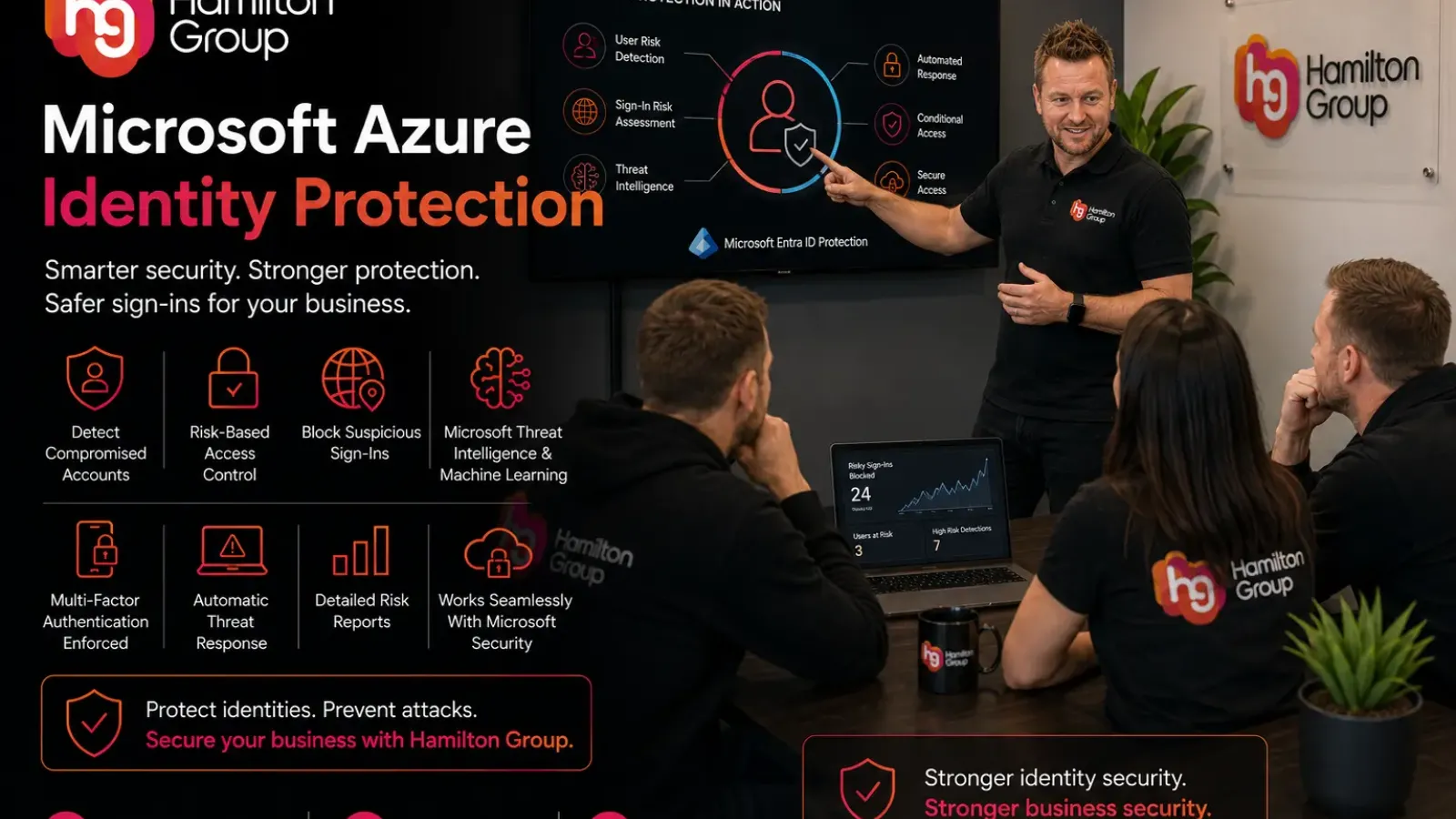
Passwords alone are no longer enough to protect modern businesses.
Cyber criminals regularly use stolen credentials, phishing attacks, password spraying and automated login attempts to gain access to business systems. Even if you use multi-factor authentication (MFA), attackers are constantly developing new ways to bypass traditional security controls.
This is where Microsoft Azure Identity Protection (now part of Microsoft Entra ID Protection) can make a significant difference.
Rather than simply checking whether someone has entered the correct password, Azure Identity Protection continuously analyses sign-in activity and user behaviour to identify suspicious activity and automatically respond to potential threats.
For businesses using Microsoft 365 and Microsoft Entra ID, it provides an additional layer of identity security that works around the clock.
What Is Azure Identity Protection?
Azure Identity Protection is a cloud-based security service that helps organisations detect, investigate and respond to identity-based threats.
It uses Microsoft’s global threat intelligence and machine learning to analyse billions of authentication requests every day, identifying suspicious sign-ins and compromised accounts before they can be exploited. Microsoft documents Identity Protection as a risk-based identity detection and remediation capability within Microsoft Entra ID. (https://learn.microsoft.com/en-us/entra/id-protection/overview)
Instead of relying solely on passwords, it looks at numerous signals to determine whether a login attempt appears genuine.
These include:
- Sign-in location
- Device information
- IP address reputation
- Anonymous network usage
- Impossible travel
- Malware-linked IP addresses
- Password leak intelligence
- User behaviour patterns
- Microsoft threat intelligence
If suspicious activity is detected, Azure Identity Protection can automatically trigger security actions.
Why Is Identity Protection So Important?
Most cyber attacks now target user identities rather than company servers.
If an attacker successfully compromises a Microsoft 365 account, they may gain access to:
- Emails
- OneDrive
- SharePoint
- Microsoft Teams
- Business applications
- Customer information
- Internal documents
- Financial data
In many cases, criminals do not need to hack the network.
They simply log in using stolen credentials.
Identity Protection helps stop these attacks before they become data breaches.
How Does Azure Identity Protection Work?
Microsoft continually evaluates sign-in activity against known threat indicators.
Every authentication attempt is assigned a level of risk.
The service evaluates two primary areas:
User Risk
User Risk measures the likelihood that an account has been compromised.
Signals may include:
- Passwords discovered in known data breaches
- Credentials exposed online
- Malware activity
- Suspicious account behaviour
- Microsoft threat intelligence
If Microsoft believes an account has been compromised, it can automatically require further verification or a password reset.
Sign-In Risk
Sign-In Risk evaluates whether a particular login attempt appears suspicious.
Examples include:
- Logging in from an unfamiliar country
- Impossible travel
- Anonymous IP addresses
- TOR browser usage
- Malware-associated IP addresses
- Suspicious browser behaviour
- Unusual sign-in properties
A genuine employee travelling abroad may simply be asked to complete MFA.
A criminal attempting to log in through a known malicious network could be blocked entirely.
What Is Impossible Travel?
One of the most useful features is Impossible Travel.
Imagine an employee signs into Microsoft 365 from Manchester at 9:00am.
Twenty minutes later, another login appears from Singapore.
Unless that employee has discovered teleportation, both sign-ins cannot realistically be genuine.
Azure Identity Protection recognises this impossible scenario and increases the risk score.
Additional verification or automatic blocking can then be triggered.
Detecting Leaked Credentials
Passwords are regularly exposed following data breaches involving websites and online services.
Many people unfortunately reuse passwords across multiple platforms.
If Microsoft detects that one of your users’ passwords has appeared in a known credential leak, Identity Protection can flag the account as high risk.
Administrators can then require the user to reset their password before the account can continue to be used.
This helps reduce the impact of credential stuffing attacks.
Anonymous IP Detection
Cyber criminals often attempt to hide their location using:
- VPN services
- Proxy servers
- TOR networks
- Anonymous hosting providers
Azure Identity Protection recognises many of these services and can increase the risk score accordingly.
This does not necessarily mean every VPN user is malicious.
Instead, it becomes another signal used when calculating the overall level of risk.
Machine Learning Improves Detection
Unlike traditional security rules that rely on fixed conditions, Azure Identity Protection continuously learns from Microsoft’s global authentication data.
Microsoft processes billions of sign-ins across its cloud services.
This provides valuable intelligence on:
- Emerging attack patterns
- New phishing campaigns
- Credential theft
- Bot activity
- Malware behaviour
- Suspicious IP addresses
As attacks evolve, Microsoft’s detection capabilities evolve alongside them.
Risk-Based Conditional Access
One of the biggest advantages of Azure Identity Protection is its integration with Conditional Access.
Rather than treating every login equally, access decisions can depend on the level of detected risk.
For example:
Low Risk
Allow access normally.
Medium Risk
Require Multi-Factor Authentication.
High Risk
Force a password reset.
Critical Risk
Block access completely until investigated.
This creates a much more intelligent security model than simply requiring MFA for every login.
Automatic Response
Security teams cannot monitor every sign-in manually.
Identity Protection allows organisations to automate responses.
Policies can automatically:
- Require MFA
- Force password changes
- Block access
- Notify administrators
- Generate alerts
- Create investigation records
Automation helps reduce response times and limits the opportunity for attackers.
Better Protection Against Phishing
Phishing remains one of the most common ways attackers steal Microsoft 365 credentials.
Even when an employee unknowingly enters their password into a fake website, Identity Protection may still detect suspicious activity based on:
- The sign-in location
- The IP address
- Device reputation
- User behaviour
- Anonymous network usage
While no solution can prevent every phishing attack, combining Identity Protection with MFA and Conditional Access significantly reduces the chances of a compromised account being successfully abused.
Helps Protect Remote Workers
Modern businesses rarely operate from a single office.
Employees may work from:
- Home
- Customer sites
- Hotels
- Airports
- Shared offices
Identity Protection analyses every sign-in regardless of location.
Instead of trusting a user simply because they are outside the office, it evaluates the actual risk presented by each login attempt.
This is particularly valuable for hybrid and remote-working businesses.
Reduces False Positives
Traditional security systems sometimes generate large numbers of alerts that turn out to be harmless.
Azure Identity Protection uses multiple signals to improve accuracy.
Rather than blocking every unusual login, it evaluates the wider context.
This helps reduce unnecessary disruption while still identifying genuine threats.
Detailed Security Reporting
Administrators gain visibility into:
- Risky users
- Risky sign-ins
- Detection history
- Investigation status
- Identity trends
- Resolved incidents
These reports help IT teams understand where attacks are occurring and whether additional security measures are required.
Supports Zero Trust Security
Zero Trust is based on one simple principle:
Never trust. Always verify.
Instead of assuming that every successful login is safe, Zero Trust continually evaluates identity, device health, location and risk before allowing access.
Azure Identity Protection fits naturally into this approach.
Every authentication request is assessed individually.
Trust is earned continuously rather than assumed permanently.
Works Alongside Microsoft Defender
Identity Protection integrates with Microsoft’s wider security platform.
It can work alongside:
- Microsoft Defender for Endpoint
- Microsoft Defender for Office 365
- Microsoft Defender XDR
- Microsoft Sentinel
- Microsoft Intune
- Microsoft Entra Conditional Access
Sharing intelligence between these products provides better visibility across users, devices and identities.
Helps Meet Compliance Requirements
Many organisations must demonstrate that they have appropriate controls protecting access to sensitive information.
Identity Protection can support compliance by providing:
- Risk monitoring
- Access policies
- Identity reporting
- Investigation records
- Security auditing
- Automated remediation
While it does not make a business compliant on its own, it strengthens identity governance and provides evidence that access risks are being actively managed.
Which Licences Are Required?
Microsoft Entra ID Protection is included with Microsoft Entra ID P2, which is also included in Microsoft 365 E5 and the Microsoft Enterprise Mobility + Security (EMS) E5 suite. Some Microsoft Entra ID Governance features are licensed separately. Organisations should review Microsoft’s current licensing guidance to ensure they have the appropriate subscription for the features they intend to use. (https://learn.microsoft.com/en-us/entra/fundamentals/licensing)
Many organisations using Microsoft 365 Business Premium receive strong identity security through features such as Conditional Access (via Microsoft Entra ID P1), but the advanced risk-based detections provided by Identity Protection require the higher P2 licensing tier.
Is Azure Identity Protection Suitable for Small Businesses?
Absolutely.
Small businesses are increasingly targeted because attackers often assume they have fewer security controls.
Even organisations with only a handful of employees can benefit from:
- Compromised credential detection
- Risk-based access
- Automatic responses
- Better visibility
- Improved identity security
Identity attacks affect organisations of every size.
Common Identity Security Mistakes
Many businesses still:
- Reuse passwords
- Avoid Multi-Factor Authentication
- Give excessive administrator rights
- Leave old accounts active
- Ignore suspicious sign-ins
- Share accounts
- Fail to review Conditional Access policies
- Assume Microsoft 365 is secure by default
Identity Protection helps identify many of these risks before they become serious incidents.
Azure Identity Protection Is Not a Replacement for Good Security
Although Azure Identity Protection is an extremely powerful service, it should be part of a wider cyber security strategy.
Businesses should also implement:
- Multi-Factor Authentication
- Microsoft Intune
- Microsoft Defender
- Conditional Access
- Strong password policies
- Device compliance
- Security awareness training
- Backup and disaster recovery
- Regular security reviews
The strongest security comes from multiple layers working together.
How Hamilton Group Can Help
Hamilton Group helps businesses secure Microsoft 365 and Microsoft Entra environments using Microsoft’s advanced security technologies.
Our specialists can help you:
- Configure Microsoft Entra ID
- Deploy Conditional Access policies
- Implement Multi-Factor Authentication
- Configure Azure Identity Protection
- Review identity security
- Deploy Microsoft Intune
- Strengthen Microsoft Defender
- Monitor suspicious sign-ins
- Improve Microsoft Secure Score
- Reduce cyber security risk across your organisation
Identity attacks continue to increase every year, but modern identity security can stop many threats before they reach your users.
If you’d like to strengthen your Microsoft 365 security or learn how Microsoft Entra ID Protection can help safeguard your business, contact Hamilton Group today on 0330 043 0069.